CSS Formatter & Beautifier – Clean and Organize Your CSS Instantly
Cascading Style Sheets (CSS) play a crucial role in defining the appearance and layout of modern websites. However, as projects grow in complexity, CSS files often become messy, inconsistent, or difficult to manage—especially when working with minified or legacy code. Utilixir’s CSS Formatter & Beautifier solves this problem by instantly transforming unstructured stylesheets into clean, readable, and well-organized code.
With just a single click, you can paste or upload your CSS file and receive properly formatted output with consistent indentation, spacing, and structure. Whether you're a front-end developer, UI designer, student, or hobbyist, this tool helps improve code readability, reduce debugging time, and maintain a more efficient workflow.
🎨 CSS Formatter & Validator
Paste your CSS to format, validate and preview styles on a sample box.
Sample Title
This is a sample paragraph to preview CSS rules (colors, fonts, spacing).
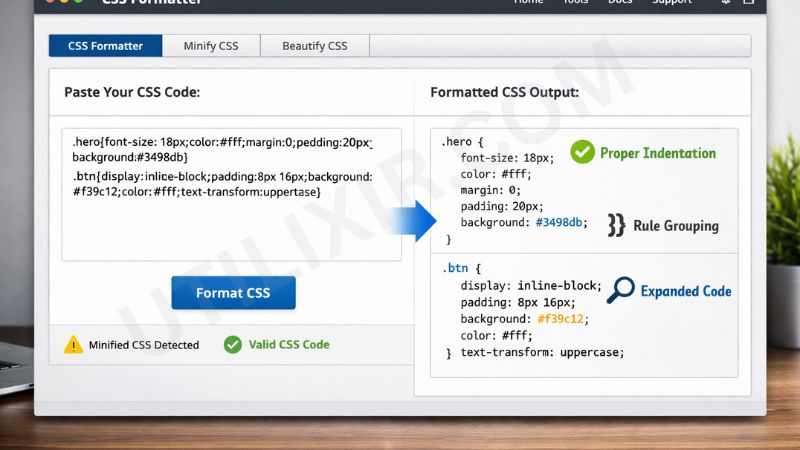
Well-structured CSS is essential for maintaining scalable, maintainable, and professional web projects. Without proper formatting, stylesheets can become difficult to read, making debugging time-consuming and collaboration inefficient. A CSS Formatter helps eliminate these challenges by converting messy or minified code into a clean, structured format that is easy to understand and modify.
Utilixir’s CSS Formatter becomes even more powerful when combined with other development tools in your workflow. After formatting your stylesheets, you can use the HTML Formatter to clean your markup, the CSS Minifier to optimize performance for production, or the HTML to Image Converter to visually preview styled layouts. Together, these tools help developers build, optimize, and maintain high-quality front-end projects with ease.
Key Features
Instant CSS Beautification
Automatically formats messy or compressed CSS into a clean, readable structure.
Minified Code Expansion
Converts minified CSS into properly indented and structured stylesheets.
File Upload & Paste Support
Paste code directly or upload .css files for instant formatting.
Consistent Code Structure
Ensures proper indentation, spacing, and rule alignment across stylesheets.
Browser-Based Tool
Works directly in your browser with no installation required.
No Registration Required
Start formatting instantly without signing up or logging in.
Secure and Private Processing
Your CSS is never stored, saved, or shared externally.
Cross-Device Compatibility
Works smoothly on desktops, laptops, tablets, and smartphones.
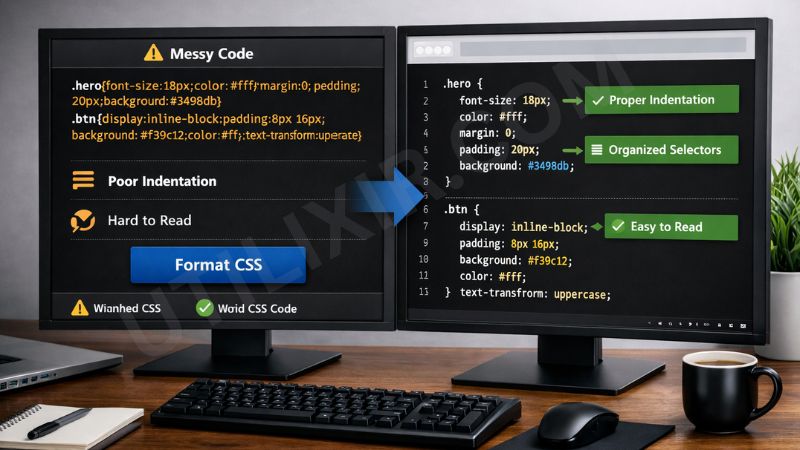
How to Use the CSS Formatter
Paste your CSS code or upload a .css file.
Click the "Format CSS" button.
Wait for the tool to process and beautify your stylesheet.
Review the formatted output for readability.
Copy the cleaned CSS or download it as a file.
Use the formatted code in your project, deployment, or collaboration workflow.
Why Choose Utilixir's CSS Formatter Over Other Tools?
Many CSS formatting tools either require software installation, lack privacy protections, or do not properly handle minified code. Utilixir’s CSS Formatter stands out by offering a fast, secure, and fully browser-based solution that requires no login or setup while delivering consistent and professional-quality formatting results.

Comparison Table
User Testimonials
Liam Anderson – United States
"This tool made my messy CSS files readable in seconds. It’s now part of my daily workflow."
Emma Johnson – United Kingdom
"I use it to clean up minified styles before debugging. Super fast and reliable."
Marco Rossi – Italy
"Perfect for teamwork. Clean CSS makes collaboration much easier."
Ayesha Malik – Pakistan
"Simple, effective, and free. Exactly what I needed for front-end projects."
Conclusion
Utilixir’s CSS Formatter & Beautifier provides a fast and reliable way to clean, organize, and optimize CSS code. With instant formatting, minified code expansion, secure browser-based processing, and cross-device support, it helps developers maintain clean and scalable stylesheets effortlessly. When combined with tools like the HTML Formatter, CSS Minifier, and HTML to Image Converter, it becomes part of a complete front-end development toolkit designed to improve productivity, code quality, and workflow efficiency.
Frequently Asked Questions
1. What is a CSS Formatter?
A CSS Formatter is a tool that organizes and structures CSS code into a clean and readable format.
2. Is the CSS Formatter free to use?
Yes. Utilixir’s CSS Formatter is completely free.
3. Can it format minified CSS?
Yes. It expands minified CSS into a readable and structured format.
4. Do I need to install any software?
No. The tool works entirely in your browser.
5. Is my CSS code stored or saved?
No. Your CSS is never stored or shared.
6. Can I upload a CSS file?
Yes. You can paste code or upload .css files directly.
7. Does it fix errors in CSS?
It primarily formats and organizes code. Some structural issues may need manual correction.
8. Can I use it on mobile devices?
Yes. It works on smartphones, tablets, and desktops.
9. Will it change my CSS functionality?
No. It only reformats structure and spacing without altering logic.
10. Who should use this tool?
Developers, designers, students, and anyone working with CSS can benefit from this tool.
🎨 CSS Formatter & Validator
Paste your CSS to format, validate and preview styles on a sample box.
Start Formatting