HTML Formatter, Validator & Beautifier – Clean and Optimize Your HTML Instantly
Writing clean and well-structured HTML is essential for building reliable, maintainable, and visually consistent websites. However, as projects grow in size, HTML code often becomes messy, poorly indented, or difficult to debug. Utilixir’s HTML Formatter, Validator & Beautifier solves this problem by instantly transforming unorganized markup into clean, readable, and properly structured code.
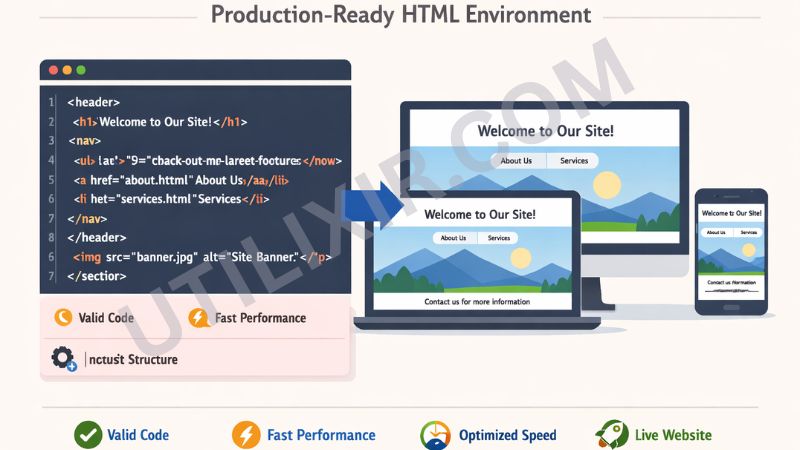
With just one click, you can format your HTML, validate syntax, and identify potential issues such as missing tags or improper nesting. Whether you're a beginner learning web development, a designer refining layouts, or a professional developer managing large-scale projects, this tool ensures your HTML remains clean, efficient, and production-ready.
🧩 HTML Formatter & Validator
Paste your HTML to format it into readable code and validate for common issues.
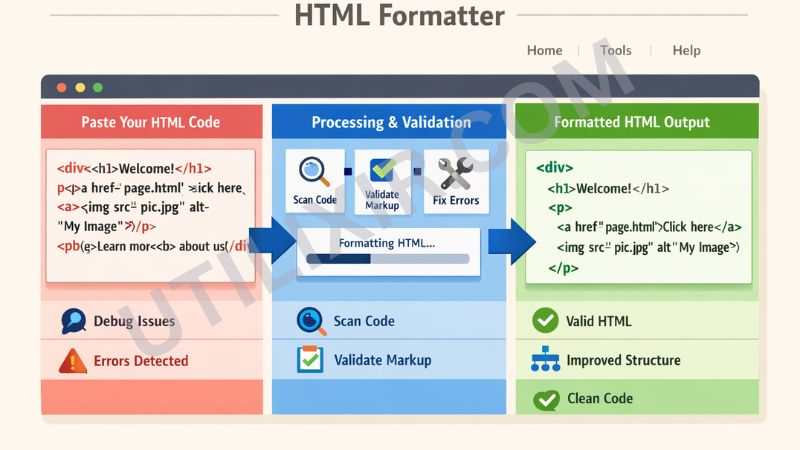
Unformatted or poorly structured HTML can lead to rendering issues, broken layouts, and time-consuming debugging. Without proper indentation and validation, it becomes difficult to identify errors or understand how elements are structured within a page. An HTML Formatter and Validator helps eliminate these issues by organizing code, improving readability, and highlighting structural problems before they affect performance.
Utilixir’s HTML Formatter works especially well when combined with other development tools in your workflow. After cleaning your markup, you can use the HTML Minifier to optimize file size for production, the CSS Formatter to ensure consistent styling structure, or the HTML to Image tool to generate visual previews of your pages. Together, these tools help developers maintain high-quality, professional-grade web projects with ease.
Key Features
Clean Code Formatting
Automatically structures HTML with consistent indentation for better readability.
Built-in Validation
Detects missing tags, incorrect nesting, and structural errors in your markup.
Instant Beautification
Transforms messy HTML into clean, organized code within seconds.
Supports Full HTML Documents & Snippets
Works with complete web pages, partial code, inline scripts, and nested elements.
No Registration Required
Start formatting immediately without creating an account.
Secure and Private Processing
Your code is never stored, shared, or transmitted externally.
Cross-Platform Compatibility
Works seamlessly on desktops, laptops, tablets, and smartphones.
Downloadable Output
Copy or download your formatted HTML file instantly.
How to Use the Tool
Paste your HTML code or upload an .html file.
Click "Format HTML" or "Format & Validate".
Review the cleaned and structured output.
Check validation results for potential issues.
Copy the formatted code or download it as a file.
Use the optimized HTML in your project or deployment.
Why Choose Utilixir's HTML Formatter Over Other Tools?
Many formatting tools focus only on beautification without proper validation, while others require software installation or account registration. Utilixir’s HTML Formatter, Validator & Beautifier combines formatting, validation, speed, and privacy in a single browser-based solution, making it accessible and efficient for developers at all levels.

Comparison Table
User Testimonials
Ethan Walker – United States
"This tool instantly cleaned up my messy HTML files. It saved me hours of manual formatting."
Sophie Martin – France
"I use it before every deployment. The validation feature helps catch hidden errors."
Daniel Cooper – United Kingdom
"Perfect for learning HTML. It makes it easy to understand structure and indentation."
Ayesha Khan – Pakistan
"Fast, simple, and reliable. I use it regularly for client projects and debugging."
Conclusion
Utilixir’s HTML Formatter, Validator & Beautifier provides a fast and reliable way to clean, structure, and validate HTML code. With instant formatting, built-in error detection, and secure browser-based processing, it helps developers maintain high-quality markup with minimal effort. When combined with tools such as the HTML Minifier, CSS Formatter, and HTML to Image Converter, it becomes part of a complete web development toolkit designed for efficiency, accuracy, and professional results.
Frequently Asked Questions
1. What is an HTML Formatter?
An HTML Formatter is a tool that organizes and structures HTML code to make it more readable and maintainable.
2. Is this tool free to use?
Yes. Utilixir’s HTML Formatter is completely free.
3. Does it validate HTML code?
Yes. It detects missing tags, structural issues, and invalid markup.
4. Do I need to install any software?
No. The tool works entirely in your browser.
5. Is my code stored or saved?
No. Your HTML is never stored or shared.
6. Can I use this on mobile devices?
Yes. It works on smartphones, tablets, and desktop browsers.
7. Can it format full websites?
Yes. It supports full HTML pages as well as small snippets.
8. Does it automatically fix all errors?
It fixes structural formatting issues and highlights errors, but some may require manual correction.
9. Can I download the formatted HTML?
Yes. You can copy or download the cleaned code instantly.
10. Who should use this tool?
Developers, designers, students, educators, and anyone working with HTML can benefit from this tool.
Format and Validate HTML Instantly
Use the HTML Formatter to get readable, indented HTML and a sanitized preview. The validator highlights common parse errors.
Start Formatting