HTML to PDF Converter – Convert HTML Code to PDF Documents Instantly
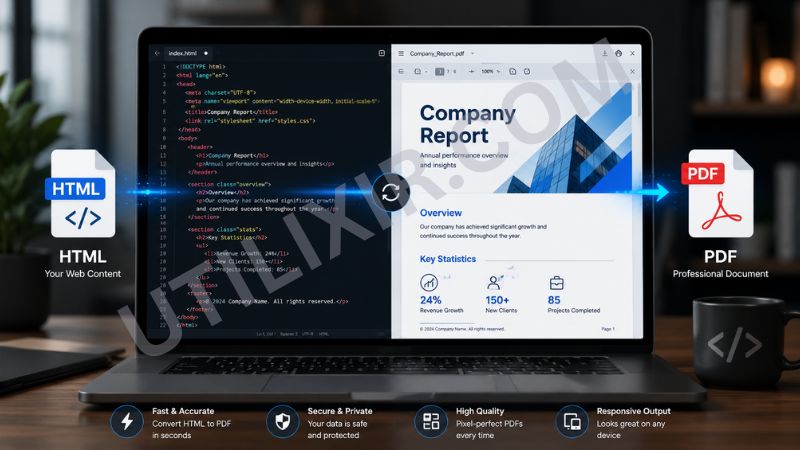
PDF remains one of the most trusted formats for sharing, archiving, and presenting information across devices and platforms. However, HTML content is often difficult to distribute in a consistent format, especially when recipients may not have access to the original web environment. Utilixir's HTML to PDF Converter bridges this gap by allowing you to transform HTML code into professional PDF documents within seconds.
Simply paste your HTML code, preview the rendered content, and download a high-quality PDF directly from your browser. No software installation, file uploads, or account registration are required. Whether you're a developer, educator, designer, business professional, or content creator, this tool offers a quick and secure way to convert web content into a universally accessible document format.
📄 HTML to PDF Converter
Paste your HTML code, preview it, and download as a PDF document.
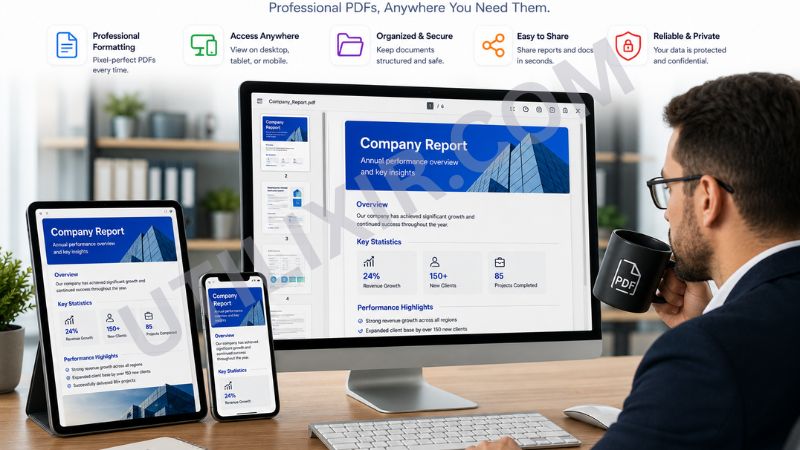
HTML is excellent for displaying content on websites, but PDFs are often preferred for documentation, reports, presentations, records, and sharing information with clients or colleagues. Converting HTML to PDF preserves the layout and appearance of your content while making it easier to print, archive, and distribute. Instead of taking screenshots or manually recreating content in a document editor, you can generate a polished PDF in just a few clicks.
Utilixir's HTML to PDF Converter works particularly well alongside other web development and content management tools. You can first refine your code using the HTML Formatter, convert visual elements with the HTML to Image Converter when needed, and then create professional documentation using the HTML to PDF Converter. Together, these tools provide an efficient workflow for developers, designers, educators, and businesses that frequently work with web-based content.
Key Features
Instant PDF Generation
Convert HTML code into downloadable PDF documents within seconds.
Live HTML Preview
Preview your rendered content before generating the final PDF.
High-Quality Rendering
Accurately preserves the structure and appearance of your HTML content.
No Registration Required
Access the tool immediately without creating an account.
Secure and Private
Your HTML content is never stored, shared, or transmitted.
Browser-Based Functionality
Use the converter directly from any modern web browser.
Cross-Platform Compatibility
Works on desktops, laptops, tablets, and smartphones.
Downloadable PDF Files
Generate professional PDF documents ready for sharing, printing, or archiving.
How to Use the Tool
Copy your HTML code or snippet.
Paste the HTML into the converter input area.
Click "Preview HTML" to review the rendered output.
Verify that the content appears as expected.
Click "Download as PDF."
Save the generated PDF to your device.
Share, archive, print, or distribute the document as needed.
Why Choose Utilixir's HTML to PDF Converter Over Other Tools?
Many HTML-to-PDF tools impose usage limits, require account registration, or rely on server-side processing that raises privacy concerns. Utilixir's HTML to PDF Converter is designed to provide a fast, secure, and user-friendly experience without unnecessary restrictions. Users can generate professional PDFs directly from their browser while maintaining full control over their content.

Comparison Table
User Testimonials
Noah Richardson – United States
"I use this tool to generate PDF reports from HTML templates. It's fast and saves a lot of time."
Emily Carter – Canada
"The preview feature is extremely helpful. I can check everything before downloading the PDF."
Oliver Bennett – United Kingdom
"Perfect for archiving website content and sharing project documentation with clients."
Clara Schneider – Germany
"Simple, secure, and reliable. Exactly what I need for converting HTML into professional documents."
Conclusion
Utilixir's HTML to PDF Converter provides a simple and effective way to transform HTML code into professional PDF documents. With instant conversion, live preview functionality, secure processing, and cross-device compatibility, it offers a practical solution for sharing, documenting, and archiving web content. When combined with tools such as the HTML Formatter, HTML to Image Converter, and Image Resizer, it becomes part of a complete productivity toolkit for developers, educators, designers, and business professionals who work with web-based content regularly.
Frequently Asked Questions
1. What is an HTML to PDF Converter?
An HTML to PDF Converter transforms HTML code or snippets into downloadable PDF documents.
2. Is the tool free to use?
Yes. Utilixir's HTML to PDF Converter is completely free.
3. Can I preview my HTML before generating the PDF?
Yes. The tool includes a preview feature so you can review the rendered content before downloading.
4. Do I need to create an account?
No. You can use the converter instantly without registration.
5. Is my HTML code stored online?
No. Your HTML content is never stored or shared.
6. Can I use the tool on mobile devices?
Yes. The converter works on smartphones, tablets, laptops, and desktop computers.
7. Can I convert full web pages?
The tool works best with HTML snippets and content sections. Full-page conversion may vary depending on complexity and browser capabilities.
8. Why convert HTML to PDF?
PDFs are easier to share, print, archive, and distribute while maintaining consistent formatting across devices.
9. Will the PDF preserve my HTML layout?
Yes. The converter is designed to accurately render and preserve the visual appearance of your HTML content.
10. Who should use this tool?
Developers, educators, designers, marketers, technical writers, business professionals, and anyone who needs to convert HTML into portable documents can benefit from this tool.
Convert Your HTML to PDF Instantly
Try Utilixir’s HTML to PDF Converter now and create high-quality PDF documents from your HTML code in seconds.
Start Converting