Online Text Editor – Write, Edit, Format, and Save Text Instantly
Whether you're taking notes, drafting content, preparing documents, or organizing ideas, having a reliable text editor readily available can save time and improve productivity. Utilixir's Online Text Editor provides a simple, distraction-free environment where you can write, edit, format, copy, and download text directly from your browser without installing software or creating an account.
Designed for convenience and speed, the editor works seamlessly across desktops, tablets, and smartphones. Whether you're a student, writer, professional, developer, or casual user, you can quickly create and manage text whenever inspiration strikes.
📝 Online Text Editor
Type, format, and save your text online. Perfect for notes, drafts, and documents.
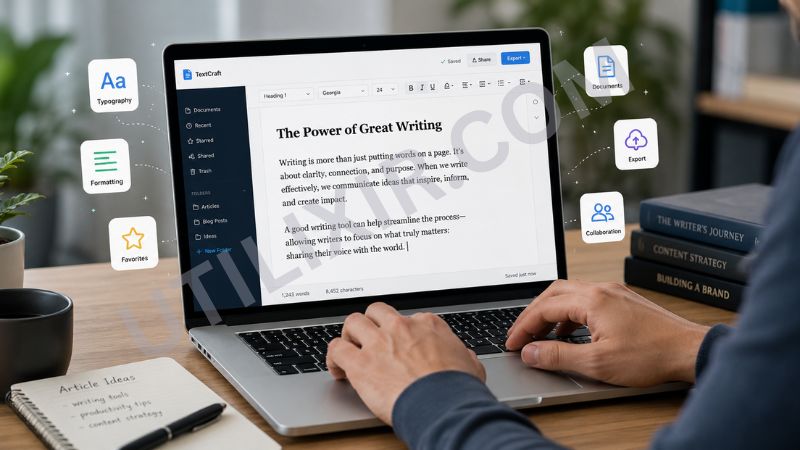
In today's fast-paced digital environment, users often need a quick and accessible place to write without launching complex software. An online text editor offers instant access to a workspace where notes, drafts, articles, meeting summaries, and personal documents can be created and edited from virtually any device. With Utilixir's Online Text Editor, you can focus entirely on your content without distractions, subscriptions, or complicated features.
The tool becomes even more useful when paired with other productivity solutions from Utilixir. After drafting content in the Online Text Editor, you can use the Word Counter to monitor text length, the Text to Speech tool to review content audibly, or the Words Splitter to organize large blocks of text for analysis and formatting. Together, these tools create a practical workflow for writers, students, marketers, and professionals who work with text regularly.
Key Features
Instant Text Editing
Write and edit content immediately without downloading software or creating an account.
Simple Formatting Tools
Make quick formatting adjustments to improve readability and organization.
Copy and Download Options
Copy text to your clipboard or download it as a file for future use.
No Registration Required
Start writing instantly without sign-ups or subscriptions.
Secure and Private
Your text remains private and is never stored or shared.
Cross-Platform Compatibility
Use the editor on desktops, laptops, tablets, and smartphones.
Fast Browser-Based Access
Open the editor and start working from any modern web browser.
Distraction-Free Workspace
Focus on writing and editing without unnecessary features or clutter.
How to Use the Tool
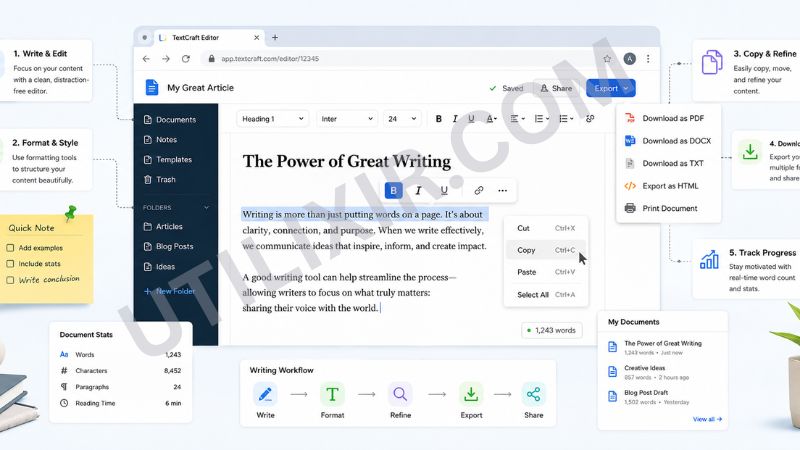
Open the Online Text Editor.
Type or paste your text into the editor area.
Edit and format the content as needed.
Review and refine your writing.
Click "Copy" to copy the text to your clipboard.
Click "Download" to save your text as a file.
Use the "Clear" option to start a new document.
Why Choose Utilixir's Online Text Editor Over Other Tools?
Many text editors require software installation, account registration, or paid subscriptions before you can access essential features. Utilixir's Online Text Editor removes these barriers by providing a fast, secure, and completely free editing environment directly in your browser. Whether you're creating quick notes or drafting longer documents, you get immediate access without sacrificing privacy or convenience.

Comparison Table
User Testimonials
Daniel Thompson – United States
"I use this editor daily for quick notes and content drafts. It's simple, fast, and always available."
Olivia Parker – United Kingdom
"The download feature is incredibly convenient. I can write and save documents within minutes."
Lucas Moreau – France
"A clean writing environment without distractions. Perfect for brainstorming and drafting ideas."
Sophie Müller – Germany
"I appreciate the privacy-focused approach. Being able to edit text without creating an account is a huge advantage."
Conclusion
Utilixir's Online Text Editor offers a simple yet powerful solution for anyone who needs to write, edit, organize, and save text quickly. With instant browser access, secure editing, download functionality, and cross-device compatibility, it serves as an efficient workspace for personal and professional use. When paired with tools such as the Word Counter, Text to Speech, and Words Splitter, it becomes part of a complete productivity toolkit that helps users create, review, and manage content more effectively.
Frequently Asked Questions
1. What is an Online Text Editor?
An Online Text Editor is a browser-based tool that allows you to write, edit, and save text without installing software.
2. Is the Online Text Editor free?
Yes. Utilixir's Online Text Editor is completely free to use.
3. Do I need to create an account?
No. You can start writing immediately without registration.
4. Is my text stored online?
No. Your text is not stored or shared.
5. Can I download my content?
Yes. You can download your text as a file for future use.
6. Does the editor work on mobile devices?
Yes. The editor works on smartphones, tablets, laptops, and desktop computers.
7. Can I copy text directly from the editor?
Yes. The tool includes a copy feature for quick sharing and reuse.
8. What can I use this tool for?
You can use it for notes, drafts, articles, assignments, meeting summaries, content creation, and general writing tasks.
9. Do I need to install any software?
No. Everything works directly in your web browser.
10. Who should use this Online Text Editor?
Students, writers, marketers, bloggers, professionals, developers, and anyone who regularly works with text can benefit from this tool.
Start Editing Instantly
Try Utilixir’s Text Editor now and write, format, and save your notes in seconds.
Start Editing