HTML to Image Converter – Convert HTML Code to PNG or JPG Instantly
Sharing HTML code or web content isn't always convenient, especially when you need a visual format that can be easily embedded in presentations, reports, social media posts, or documentation. Utilixir's HTML to Image Converter solves this problem by allowing you to transform HTML code into high-quality PNG or JPG images directly from your browser.
Simply paste your HTML, select an output format, and generate a downloadable image within seconds. No software installation, account creation, or file uploads are required. Whether you're a developer, designer, educator, marketer, or content creator, this tool provides a fast and reliable way to convert HTML into a shareable visual format.
🖼️ HTML to Image Converter
Paste your HTML code below and convert it to a PNG or JPG image instantly.
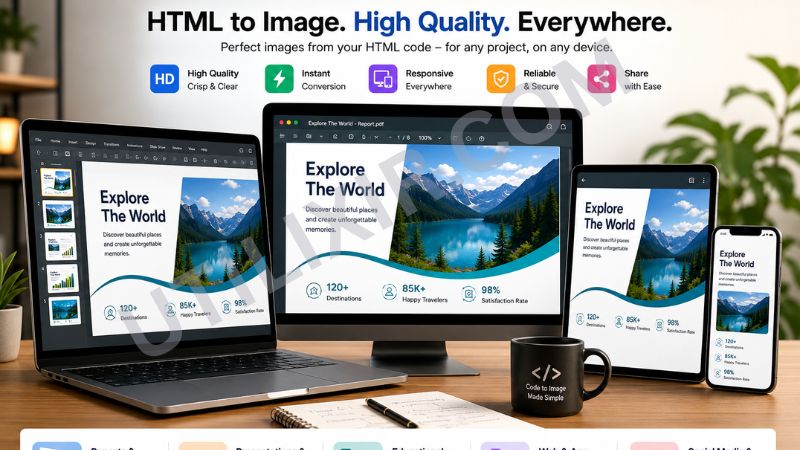
HTML is designed for web browsers, but there are many situations where a static image is more practical. Developers often need to share code snippets with clients or team members, educators may want to include web examples in teaching materials, and businesses frequently require visual documentation for reports and presentations. Converting HTML to an image preserves the appearance of your content while making it easier to distribute across platforms.
Utilixir's HTML to Image Converter integrates naturally into modern web development and content creation workflows. After preparing your code with the HTML Formatter, you can convert it into a clean visual asset for sharing. Users can also pair the tool with HTML to PDF for documentation purposes or use the Image Resizer to optimize generated images for websites, social media, and presentations. Together, these tools simplify the process of transforming web content into professional visual resources.
Key Features
Instant HTML Conversion
Convert HTML code into PNG or JPG images within seconds.
High-Quality Rendering
Preserves the appearance and structure of your HTML content for accurate visual representation.
Multiple Output Formats
Choose between PNG and JPG based on your project requirements.
No Registration Required
Access the tool immediately without creating an account.
Secure and Private
Your HTML content is never stored, shared, or transmitted.
Browser-Based Functionality
Use the converter directly from any modern web browser.
Cross-Platform Compatibility
Works seamlessly on desktops, laptops, tablets, and smartphones.
Downloadable Images
Save generated images instantly for sharing, archiving, or documentation.
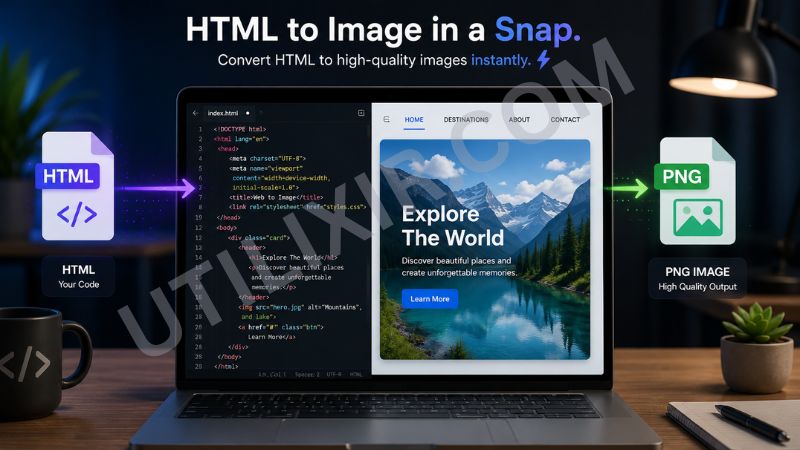
How to Use the Tool
Copy your HTML code or snippet.
Paste the HTML into the converter input field.
Select PNG or JPG as the output format.
Click the "Convert" button.
Preview the generated image.
Download the image to your device.
Share or use the image in presentations, reports, websites, or social media.
Why Choose Utilixir's HTML to Image Converter Over Other Tools?
Many HTML conversion tools require account registration, restrict usage behind paywalls, or involve uploading files to external servers. Utilixir's HTML to Image Converter focuses on simplicity, speed, privacy, and accessibility. You can generate professional-quality images directly from your browser without unnecessary complexity or hidden limitations.

Comparison Table
User Testimonials
Ethan Brooks – United States
"I use this tool to create visual code examples for client presentations. It's fast and surprisingly accurate."
Charlotte Evans – United Kingdom
"The PNG output looks excellent and saves me a lot of time when creating training materials."
Maxime Laurent – France
"A simple tool that does exactly what it promises. Perfect for sharing HTML snippets with my team."
Amelia Foster – Australia
"I regularly convert web components into images for documentation. This tool has become part of my workflow."
Conclusion
Utilixir's HTML to Image Converter offers a quick and reliable way to transform HTML code into professional-quality PNG or JPG images. With browser-based functionality, secure processing, instant conversion, and support for multiple image formats, it provides a practical solution for sharing, archiving, and documenting web content. Combined with tools such as the HTML Formatter, HTML to PDF, and Image Resizer, it becomes part of a complete toolkit for developers, designers, educators, and content creators who work with web-based content every day.
Frequently Asked Questions
1. What is an HTML to Image Converter?
An HTML to Image Converter transforms HTML code or snippets into image formats such as PNG or JPG.
2. Is the tool free to use?
Yes. Utilixir's HTML to Image Converter is completely free.
3. What image formats are supported?
The tool supports PNG and JPG output formats.
4. Do I need to create an account?
No. You can use the converter instantly without registration.
5. Is my HTML code stored online?
No. Your HTML is never stored or shared.
6. Can I use the tool on mobile devices?
Yes. The converter works on smartphones, tablets, laptops, and desktop computers.
7. Can I convert full web pages?
The tool works best with HTML snippets and sections. Full web page rendering may depend on browser capabilities and page complexity.
8. Why would I convert HTML into an image?
Images are easier to share in presentations, reports, documentation, social media posts, and educational materials.
9. Does the generated image maintain formatting?
Yes. The converter is designed to accurately render the visual appearance of your HTML content.
10. Who should use this tool?
Developers, designers, educators, marketers, technical writers, and anyone who needs to share HTML content visually can benefit from this converter.
Convert Your HTML to Image Instantly
Try Utilixir’s HTML to Image Converter now and create high-quality images from your HTML code in seconds.
Start Converting